Taking control of my Wi-Fi router using AI
Inspired by the recent wave of projects using AI to jailbreak hardware, I wanted to see if I could do the same with my Wi-Fi router.
My ISP-provided device is a RicherLink RL841GWV-DGB EPON ONT + Wi-Fi router combo. The “EPON ONT” part means that it has an optical fiber port built-in and does not need an external modem.
The device has comically little information available about it on the internet. I wasn’t even able to find the official product listing on RicherLink’s website.
My idea was to use an LLM to find and exploit a vulnerability on the router to get SSH access to it. There seems to be no shortage of them these days (I am sick of patching production every day). Routers tend to run old software, and this one had clearly committed to preserving history, given that its firmware seemed to be from 2019.
I started by logging into the admin panel and looking for anything that looked like it could be exploited. This resulted in me realizing that I had never actually read through the router’s available settings. I mean, what the fuck is a TR-069?!
Seeing the myriad of options put me in the delulu that I was spoilt for exploitable things. I excitedly gave the LLM the admin panel login creds and asked it to look around
using Playwright.
I was exhilarated to begin this adventure of owning my router and being happy. Stack overflows, use-after-frees, memory corruption, race conditions — I thought I was ready to cook.
Getting in
All that excitement came crashing down with this discovery:
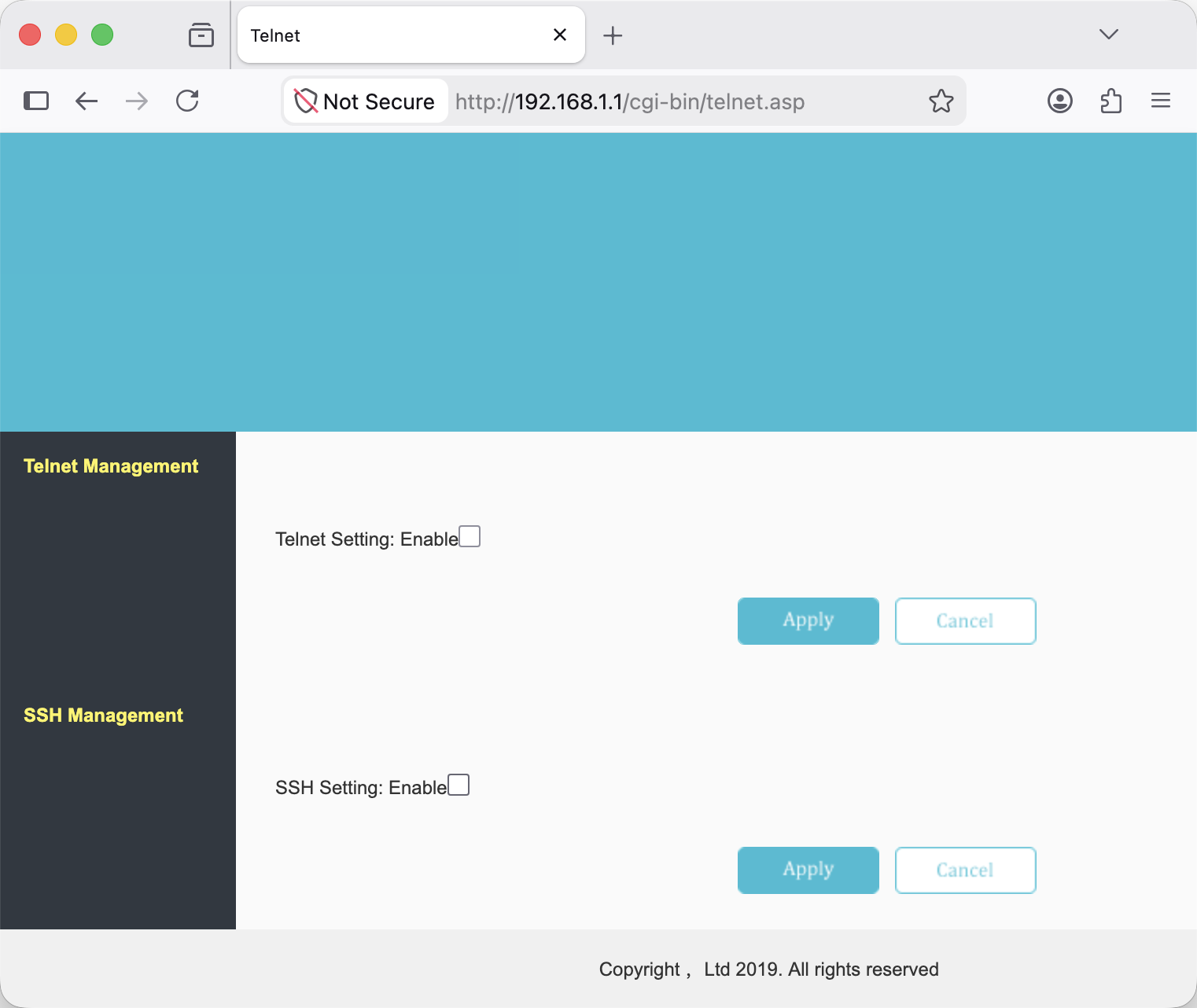
Yes, that is a settings page where I could simply flip a toggle to enable SSH access 🤦♀️.
It was not linked anywhere in the router settings, hence yours truly was not able to discover it earlier. The LLM found it by chance while trying different variations of likely settings page URLs. LLM 1, Human 0.
My fantasy of LARPing as a hacker had been thoroughly crushed by a minute of Discombobulating by the LLM.
After I had emotionally recovered and accepted my robot overlords, I enabled SSH in that panel and tried connecting from my laptop. I was greeted with:
Unable to negotiate with 192.168.1.1 port 22: no matching key exchange method found. Their offer: diffie-hellman-group1-sha1
and
Unable to negotiate with 192.168.1.1 port 22: no matching host key type found. Their offer: ssh-rsa,ssh-dss
The errors basically mean that you are dealing with an ancient relic and you have to make a holy offering of two CLI options before connecting to it:
ssh -oKexAlgorithms=+diffie-hellman-group1-sha1 -oHostKeyAlgorithms=+ssh-rsa [email protected]
The device offered legacy cryptographic algorithms that my modern SSH client disabled by default. These options re-enable an old Diffie–Hellman key exchange and RSA/SHA-1 host signatures for this connection. OpenSSH documents this legacy compatibility mechanism.
This got me into a shell. Running uname -a returned:
Linux tc 3.18.21 #11 SMP Mon Mar 22 10:53:40 CST 2021 mips unknown
I was in!
The shell prompt was #, indicating a root shell, but I had a hard time believing that the router
would simply allow root access over SSH.
Confirming this took a surprising amount of effort. The bare-bones BusyBox environment didn’t have whoami, id, or sudo. $EUID and $UID were empty.
Then I ran:
cat /proc/self/status
The output included:
Uid: 0 0 0 0
The four values are the real, effective, saved-set, and filesystem UIDs. Strictly speaking, /proc/self/status describes the process reading it, so this showed that cat was running with UID 0. Commands launched from my session were running as root.
Thanks to RicherLink supporting complete user ownership of hardware (or refusing to do basic security hardening, depending on how you look at it), my quest to get a root shell on my router finished within minutes. Amazing success, but devastating news for the hacker montage I had planned.

I guess you don’t need a vulnerability when the router itself is one?
Looking around
After digging around for a bit, I gathered the following details about the device:
| Component | Details |
|---|---|
| SoC | EcoNet EN7528 |
| CPU | MIPS 1004Kc, two cores with four logical processors |
| Architecture | 32-bit little-endian MIPS32r2, soft-float |
| RAM | 256 MiB |
| Flash storage | 128 MiB SPI NAND |
| Wi-Fi | Ralink/MediaTek dual-band |
| Kernel | Linux 3.18.21 |
| Userspace | BusyBox reporting version 1.00, glibc 2.20 |
| Software version | V2.1.5-26577 |
I doubt the BusyBox version is actually 1.00, they probably didn’t set the version properly. The kernel build date is 2021, so not ancient but not current either.
This was the first time I saw a real device based on MIPS architecture, I thought those weren’t made anymore.
With the power of the root in the palm of my hand, I began thinking about all the cool things I could do.
First, I dumped the firmware, by simply streaming the raw partition data over SSH using cat.
e.g.
ssh ... [email protected] 'cat /dev/mtd6' > mtd6.bin
This was hilariously simple, as opposed to opening the device and soldering wires to the PCB. It almost feels wrong 😂.
I unleashed an agent on this firmware dump, and moved to the next idea while it was cogitating in the background.
An idea that seemed useful was a Grafana dashboard for monitoring the router.
Asking for a Grafana dashboard
First, I asked the LLM to enumerate what all information could be scraped from the device.
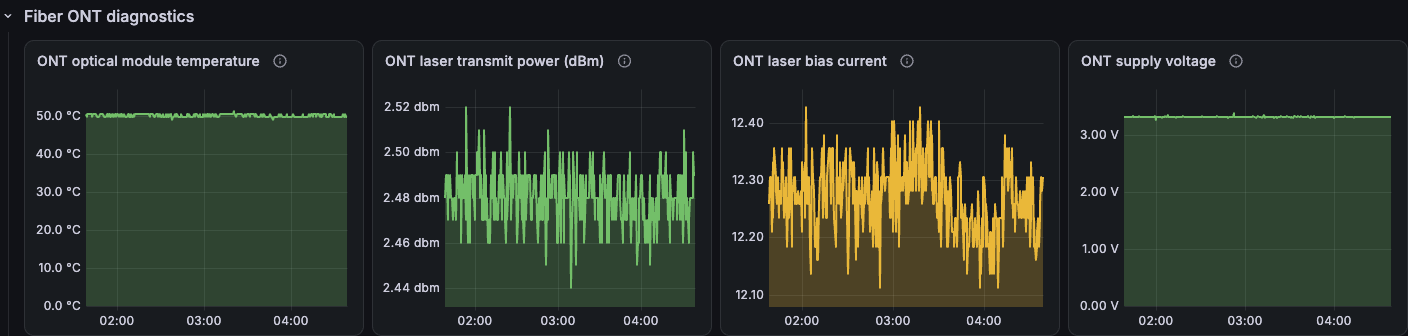
Apart from the quintessential Linux sources covering CPU, RAM, uptime, network statistics etc., it found optical diagnostics for the EPON ONT device, so that was kinda cool.
Looking around the admin panel code, it was able to unearth some vendor APIs and tools, including:
tcapi, which could read configuration and status values used by the firmware, including PON statistics. This seemingly comes from the TCLinux SDK (there were some references to TrendChip TC3162 in the kernel).iwpriv, which exposed wireless-driver information such as associated clients, traffic counters, and signal strength.
With the reconnaissance done, I could move forward with the dashboard.
LLMs have made creating an MVP as simple as a polite request (or an aggressive one, if that’s your style). I listed the metrics I wanted and asked it to build a Grafana dashboard.
After a few minutes of dilly-dallying, I had a Python script on my laptop that periodically polled the router over SSH and exposed the results to Prometheus, along with a Grafana dashboard to visualize the data.
I kept the router side read-only as I didn’t want to accidentally break the firmware. The router was providing the internet connection I’d need to look up how to fix the router.
Aside: The Python script used a concept I was unaware of: SSH connection multiplexing. This allowed separate commands to reuse a persistent SSH connection, rather than having to use new ephemeral connections for each command.
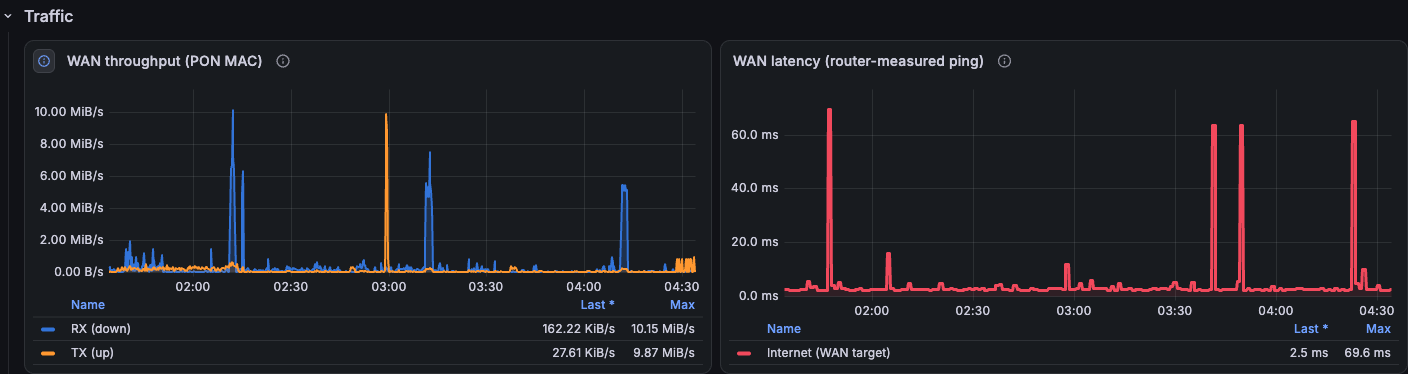
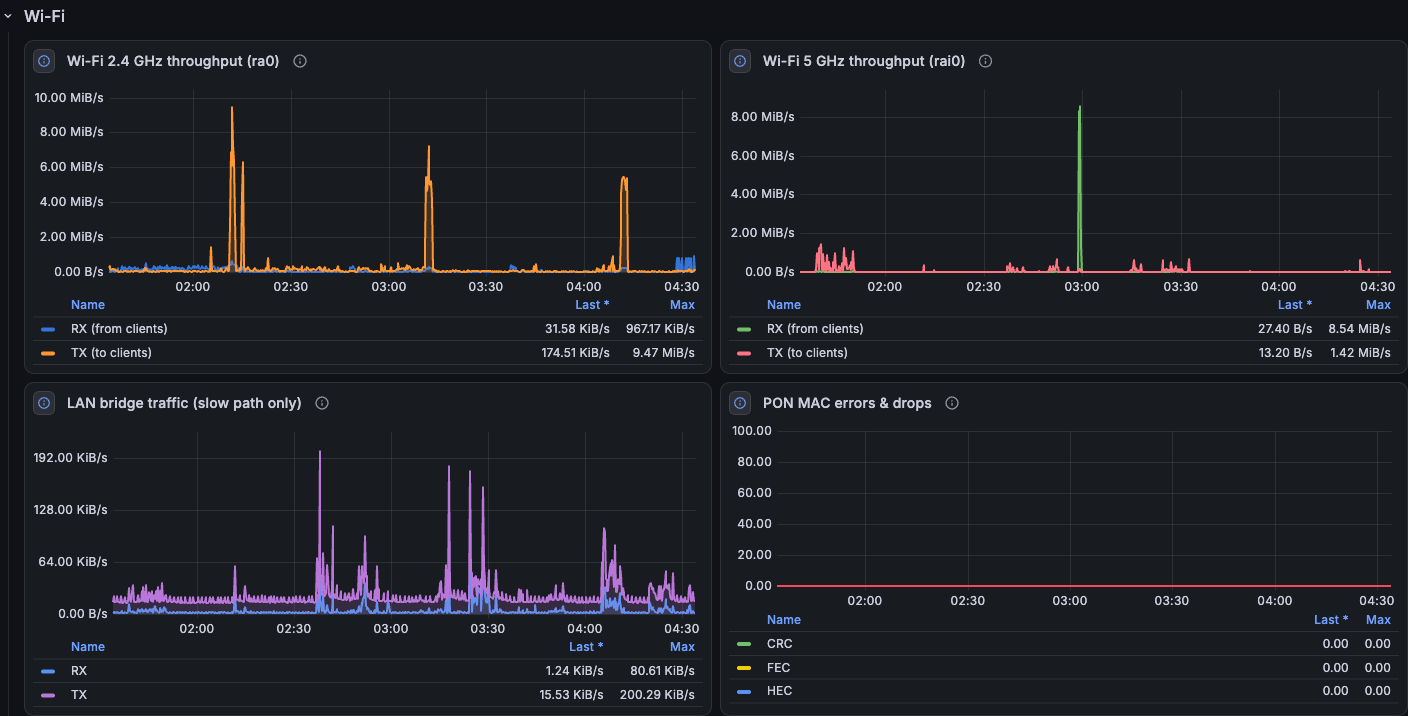
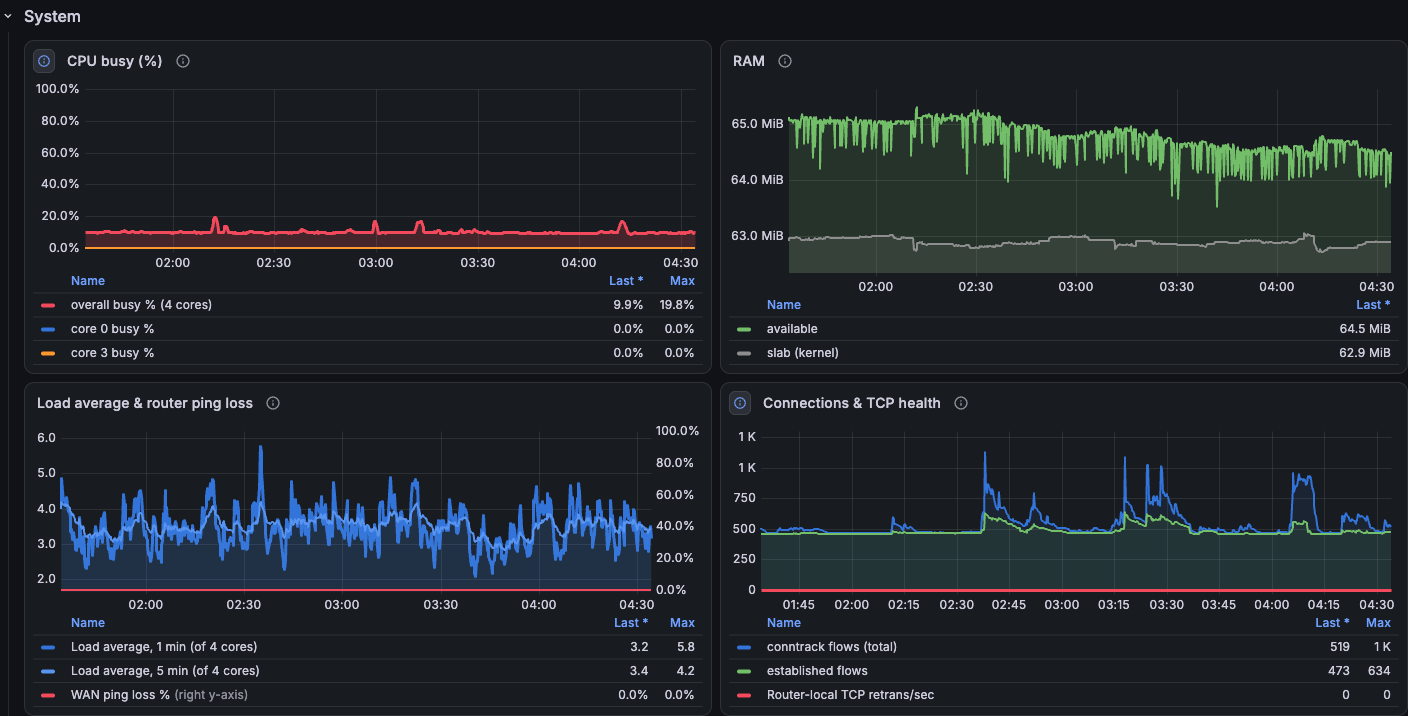
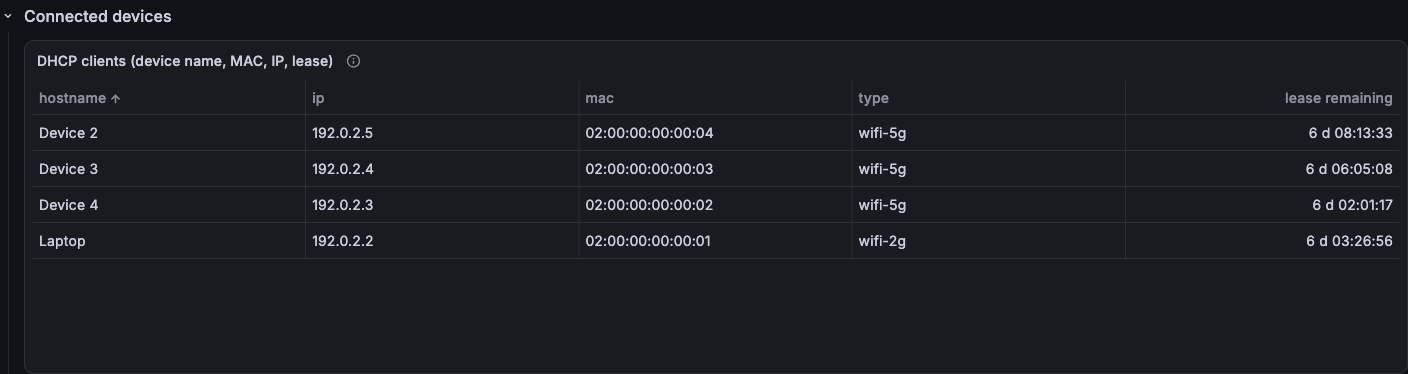
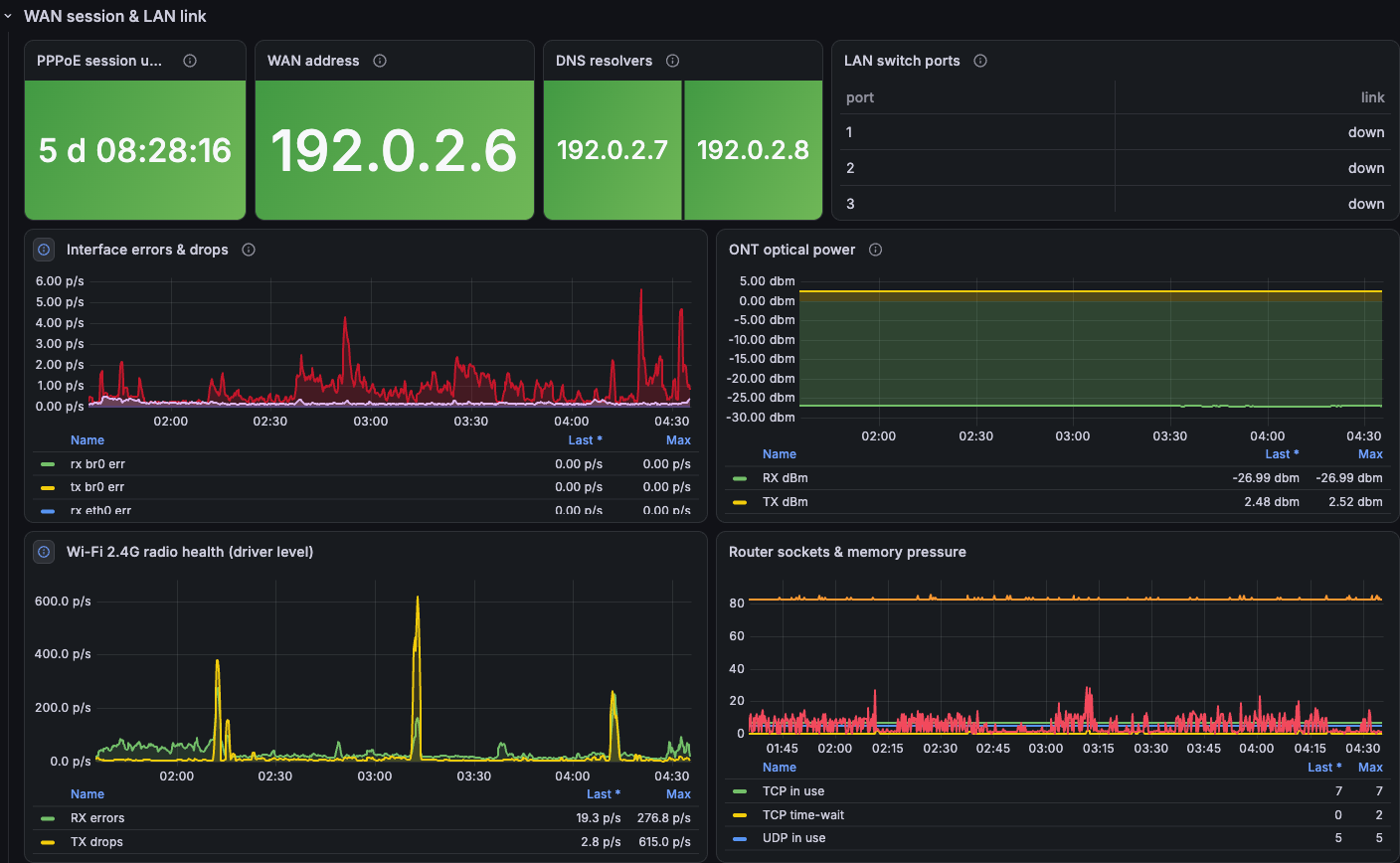
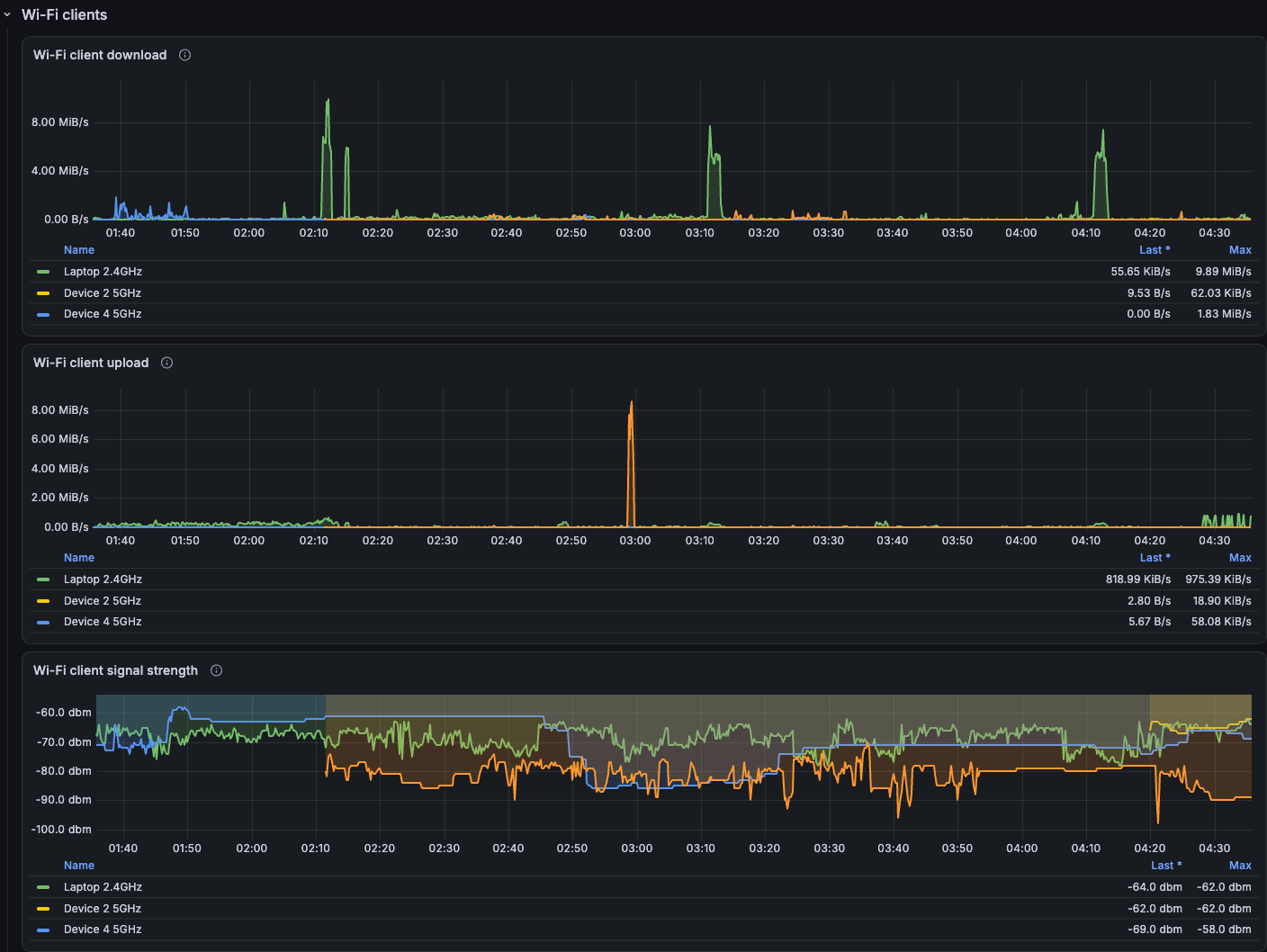
After some more polite requests, I had something I was generally happy with:
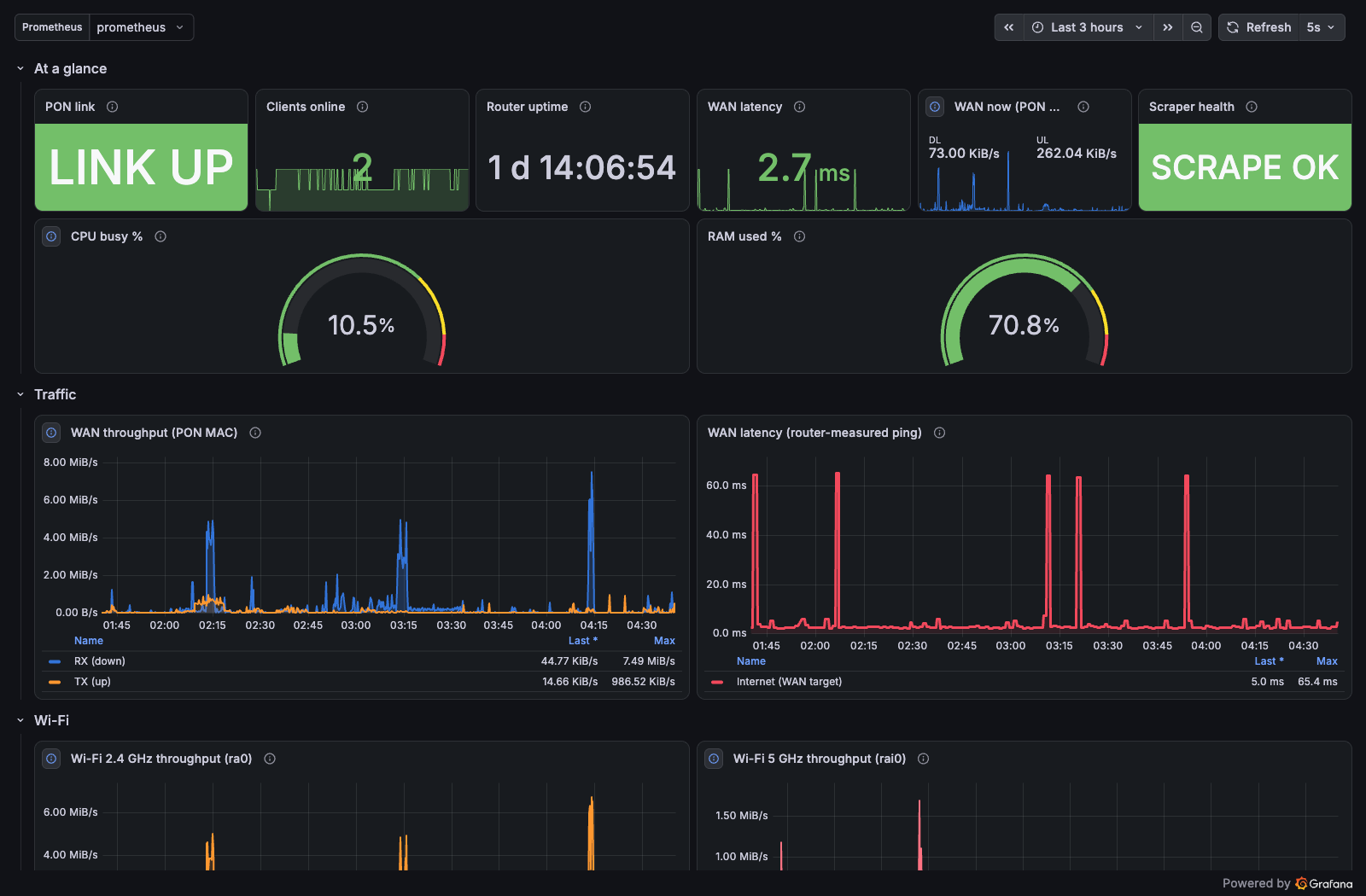
Expand to view other panels (with anonymized data)
Traffic
Wi-Fi
System
Connected devices
WAN session and LAN link
Fiber ONT diagnostics
The per-client signal-strength graphs were particularly interesting. Changes in a device’s RSSI gives a rough idea of its movement patterns. It’s hardly a reliable movement detector, but I suppose Big Tech would love to get access to this data (maybe they already do 🤷♀️).
DNS logging
I showed the dashboard to some friends, and the first thing they suggested was adding DNS logs. I can’t believe I’d forgotten that I could do this. LLM induced brain atrophy is real.
The router was already running dnsmasq. I enabled query logging in its configuration and restarted dnsmasq (/etc is mapped to /tmp/etc so the modifications
were temporary):
log-queries
log-facility=/tmp/dns-queries.log
I also changed DHCP to advertise 192.168.1.1 as the DNS server (had previously set it to Google’s DNS). After a handful of polite requests, I had a DNS section in Grafana.
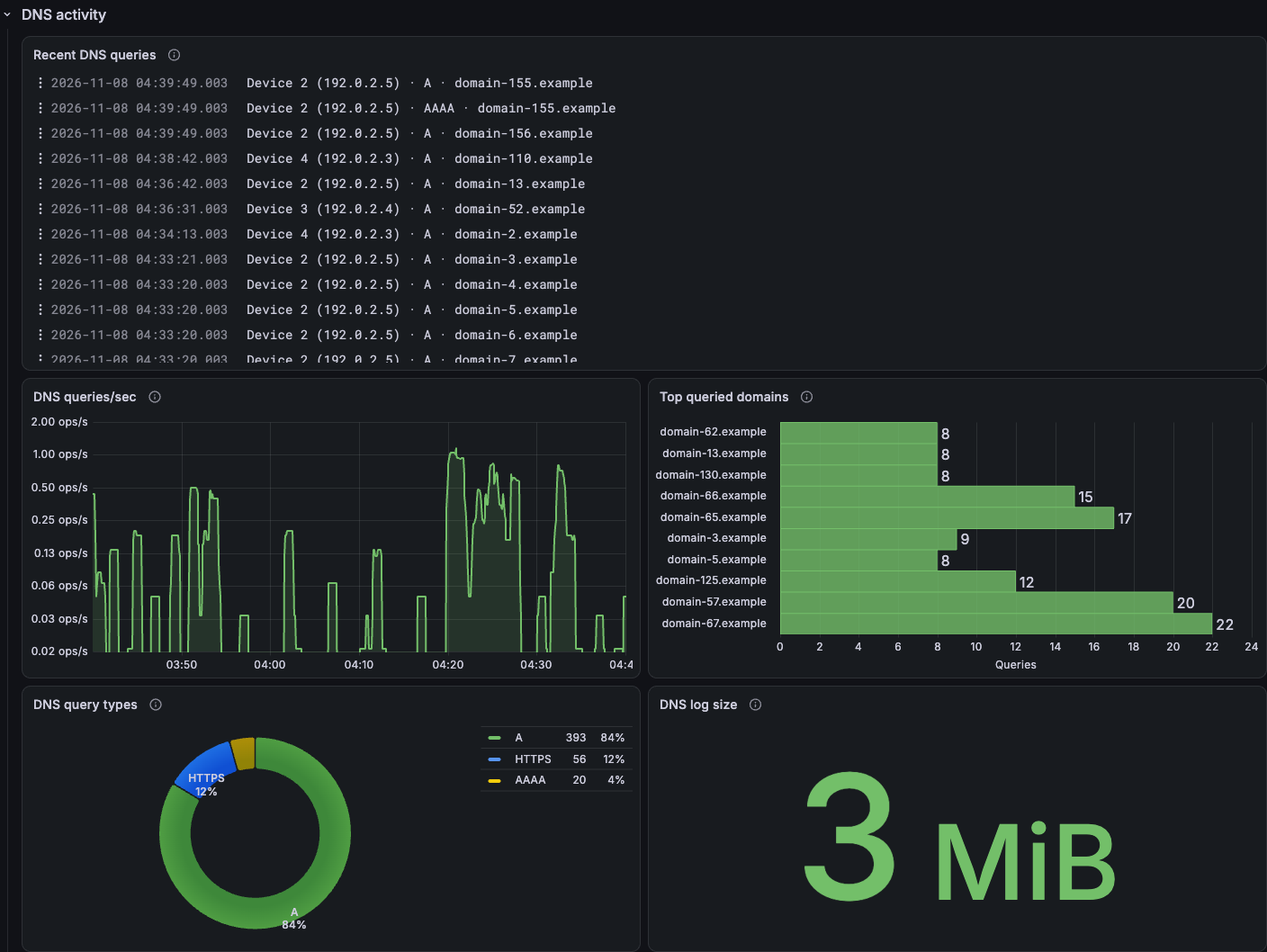
Note: This logs DNS queries handled by the router’s dnsmasq instance. Clients using DNS-over-TLS, DNS-over-HTTPS or
setting a custom DNS server can bypass it.
A few minor problems
“A smart woman learns from her mistakes. A wise woman learns from the mistakes of others.”
Here are some problems I encountered, so the wise readers can learn:
The network graphs were wrong
I ran a speed test and noticed that the dashboard’s traffic graphs didn’t match it. The Linux WAN interfaces weren’t seeing the transferred data while the Wi-Fi radio counters did.
It turned out that hardware NAT was forwarding traffic through a hardware accelerated path that bypassed the Linux interface counters. The values from /proc/net/dev weren’t sufficient for measuring total WAN traffic on this firmware.
I asked the LLM to trace the PON statistics page in the admin panel. It found these counters:
/userfs/bin/tcapi get Info_PonWanStats RxFrameLen
/userfs/bin/tcapi get Info_PonWanStats TxFrameLen
Those tracked the traffic crossing the fiber connection, including the offloaded traffic. The script was updated to use these.
Termux’s nslookup doesn’t use Android’s DNS settings
Although DNS logs were appearing in Grafana, running nslookup in Termux on my phone still showed the DNS server as 8.8.8.8.
Termux’s dnsutils tools use $PREFIX/etc/resolv.conf rather than Android’s system resolver settings. The Termux resolver configuration package supplies Google’s 8.8.8.8 and 8.8.4.4 by default.
Can it run Doom?
After I got bored with the dashboard, I went looking for the next shiny thing.
A complaint I have about current LLMs is that they don’t generally suggest very fun or creative ideas. I had to actually think and come up with ideas myself. Who does that anymore?
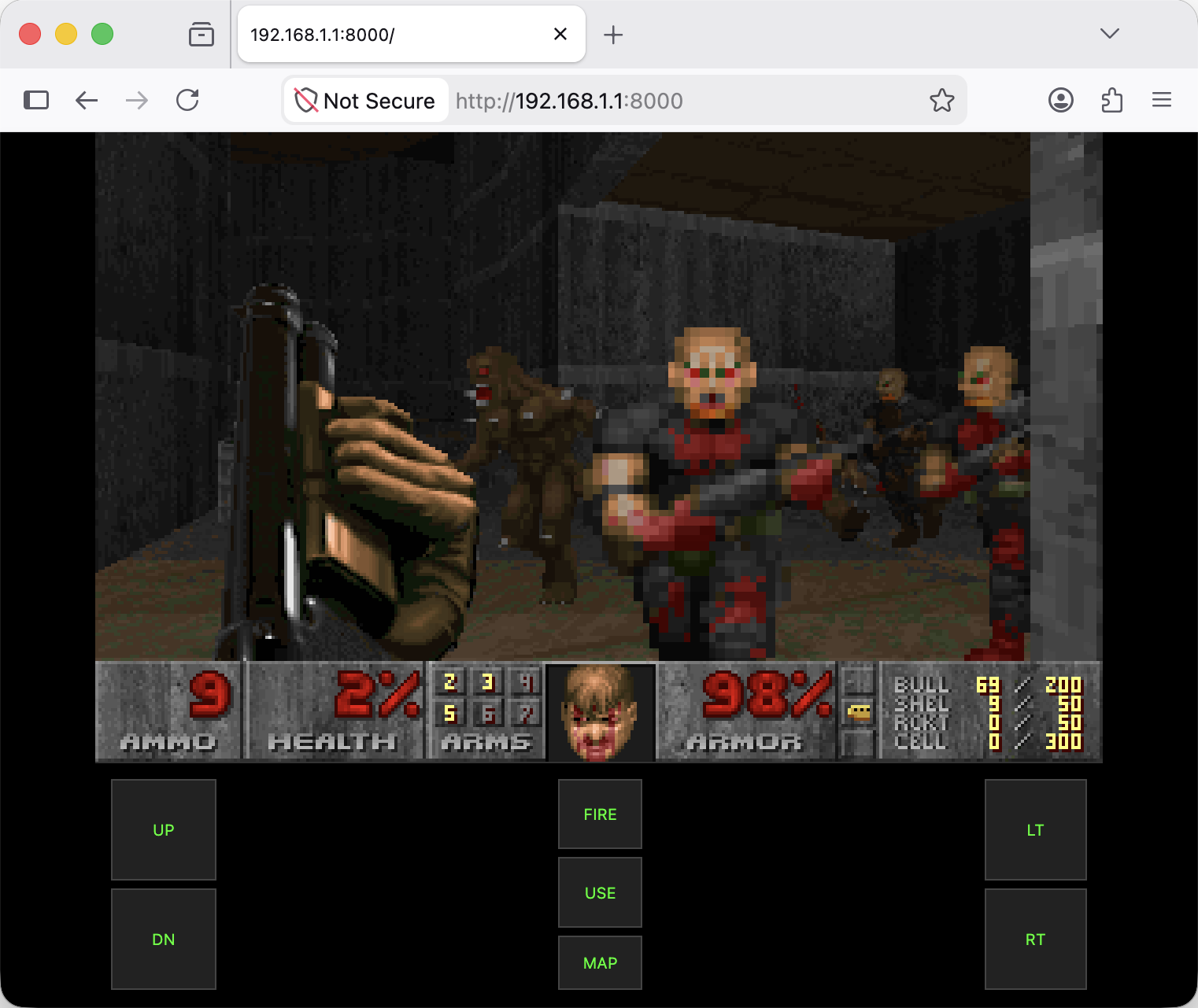
Being human, I decided that running Doom on my router sounded like a cool idea.
This was surprisingly anticlimactic as a technical challenge, thanks to doom-on-router. It’s a port of doomgeneric for little-endian MIPS routers.
I downloaded the project’s prebuilt executable and the WAD file containing the game data, copied them to /tmp on the router, and ran the executable over SSH. The project’s README lists OpenWrt as a requirement, but the binary worked on my router’s stock firmware just fine.
The clever part is how it handles the router’s lack of a display. The game engine runs and renders frames on the router, then streams those frames to a browser over WebSockets. Keyboard input travels back to the router.
I had Doom running on the router and could play from a browser on my laptop.
The firmware scan
Remember the agent we left cogitating in the background?
It found some interesting stuff like the existence of a “Monitor Mode” on the 5GHz radio, along with indications that a raw “SDR” mode could be enabled, though I haven’t confirmed that yet.
What I really wanted to understand was the bootloader, because my next idea was to get the latest Linux kernel running on this device.
Unfortunately, the bootloader analysis did not spark joy. The device supports a slot based A/B booting approach. But there is no logic to detect a failing/hung boot and automatically fall back to another slot. It checks a flag in the flash for which slot to boot.
The moment I boot a faulty Linux image that isn’t able to bring up remote access, I will have no way to switch the active boot slot, effectively bricking the router.
I didn’t have the heart to disassemble the router and start dealing with UART just yet. This was still the router I needed for internet access. I decided to mark it as a TODO for now.
Future ideas
- Cross-compiling and running a MIPS Rust binary on the router.
- Attaching a USB flash drive and using the router as a NAS.
- Attaching my RTL-SDR dongle to the USB port and using an ADS-B antenna to make a plane tracking system.
Reflections
I enjoyed messing around with my router, however, I strongly feel that using LLMs took a lot of the fun away, and I didn’t actually learn much. The machine-speed execution of my requests denied me the dopamine spike of figuring things out myself.
I doubt I would have found the hidden SSH menu myself, and I’m thankful to the LLM for that, but I really should have stopped using it after that point.
I remember the fun I had in the pre-LLM days, messing around with tools like binwalk and Ghidra. It was a very slow process, and I didn’t achieve much, but I did learn a lot. LLMs take away the tinkering experience. This might be preferable in a company, where human understanding can get deprioritized
in favour of development velocity, but for personal projects I still value deep human understanding.
For personal projects, the goal is to learn, or as I like to call it, to “fuck around and find out”, and I don’t want to just watch the LLM do the fucking.
But the great thing about LLMs is that you can choose not to use them, or minimize your use (at least for personal/learning projects) and I think that judicious and conscious use of LLMs can in fact speed up and increase human understanding.
I’d love to hear ideas for what else I could do with this router. Preferably something that leaves me enough internet to look up the recovery instructions.