Reflections on porting GTA 5 to Linux using AI
LLMs are changing the fundamentals of how we create software. I wanted to see what the future holds for software development, and what better way to know the future than to peek at it yourself?
I decided to do a significant project to understand the capabilities of current LLMs, how to best use them and how they might evolve in future, which is why I chose to work on a native Linux port of GTA V.
This is a record of my journey and reflections.
Context
If you don’t know about GTA 5, do comment below. I’d love to hear what kind of life you have lived that you don’t know about THE game and yet are here on my blog.
GTA 5 was released in 2013 for PlayStation 3 and Xbox 360, with the PC version arriving in 2015. It was built over several years by more than 1,000 people across Rockstar’s studios. That is to say, it’s a big, enterprise C++ codebase.
Said codebase was leaked in 2023, which is what made this project feasible. After swimming through the high seas, I downloaded its code.
Now, for some technical background, the PC version of the game is native to Windows, i.e. it uses Windows-specific operating system functionality and Direct3D, part of DirectX, for rendering.
What we want instead is the much cooler 😎 operating system: Linux.
There are already ways to run the Windows version on Linux using Wine and DXVK, which translates Direct3D calls to Vulkan. Performance depends on the game, drivers, and hardware; a native port is no guarantee of better performance. What if we could compile GTA 5 to run natively on Linux? Could an LLM do it? That’s what I wanted to find out.
Getting Started
First of all, I needed to set up a local development environment. I followed the instructions that I found on the web and had a build running on my laptop after several minutes:
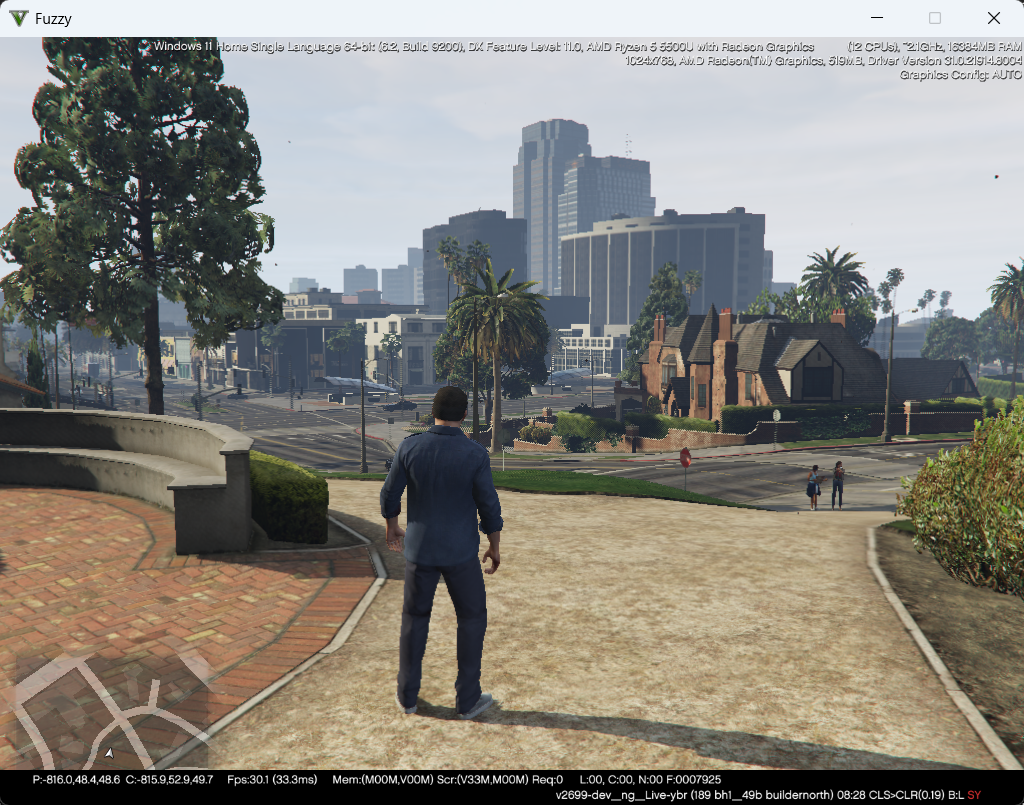
It was a bit involved, but nothing too messy. With a known-good starting point I could start work on the port.
Now, I have been programming since I was a kid, much before you could use clankers as your therapist. That is to say, I can think for myself and had a high-level idea of the changes needed to get the Linux port.
The first step was initializing a git repository in the directory to keep track of the changes. I started with this. I totally did not forget about it and end up shoehorning it in later. No sir.
My LLM setup was very basic. Just a simple Codex chat window with Sol 6.1, no extra skills or MCPs.
The build system
The first thing we needed was a build system.
The build system is one of the simpler parts to replace. To simplify it a lot, it tracks which files need compiling, their dependencies, the compiler options, and how the resulting objects are linked into an executable.
The game originally used Visual Studio 2012. This is a problem because Visual Studio (the OG one, not VS Code) does not natively run on Linux.
I decided to use CMake with Ninja cuz it’s a popular, versatile combination. CMake generates the build rules, and Ninja executes them. Both run on Linux and Windows, so I could create and test the build scripts on Windows and reuse them on Linux.
I asked the agent to replicate the existing Visual Studio build using CMake, keeping the same compiler, config flags etc. This was done frighteningly quickly, in just 10 minutes. After a few more minutes of compilation, I had an executable built through CMake that ran perfectly.
This would have taken me probably over a week in pre-clanker days.
With the preset configured and the compiler environment loaded, I could simply compile the game with a single command:
cmake --build --preset windows-vs2012
On to the next challenge.
Ze Compiler
Next was the compiler. The game originally used the Microsoft Visual C++ compiler (MSVC) from Visual Studio 2012. Which, as you might have guessed from the name, does not run on Linux.
I needed a different compiler, and I chose Clang. It runs on Linux as well as Windows, so I could test the build on Windows and expect it to work correctly on Linux as well.
Ideally, compiling C++ with a different compiler should be simple, and ideally, we should all be rich and handsome.
Unfortunately, there are subtle incompatibilities between different C++ compilers and even different versions of the same compiler. Instead of jumping straight to Clang, I decided to first bring it up to date with the latest 2026 MSVC compiler.
The agent created a new windows-vs2026 CMake preset and started working through the compatibility errors. After a few minutes I had a game executable
compiled with MSVC 2026.
Unfortunately, this is where I found a very annoying bug.
It’s reset time
The first build with MSVC 2026 had this annoying issue:
As you can see, the character animation kept “resetting” about once per second. I had no clue how a compiler version upgrade could have caused an issue like this.
I tried being a lazy bum and just told the agent that something was wrong, fix it. This is where I learnt just how tenacious and knowledgeable LLM agents can be.
It read animation and timing code, compared struct layouts, and created test programs to evaluate compiler differences by inspecting the disassembly with dumpbin. It also wrote PowerShell scripts to inspect the running process. I didn’t even know you could do that! The effort was impressive but it wasn’t close to finding the bug.
One hunch I had was related to numerical precision and rounding. To make it compile with MSVC 2026, the agent had replaced some functions with their
explicit float versions, like modf to modff. I thought this might have changed some numerical behaviour, leading to some overflow/underflow.
This theory turned out to be false, and we wasted a good amount of time ruling it out. At this point I took a break to get some fresh air.
After sleeping on it, I decided to stop being a lazy bum and actually use my human abilities to suss out the problem. I used the game’s inbuilt debug display to gather more information about what exactly I was seeing. Two motion-task counters were resetting to 0 whenever they reached one second. That observation was enough for the agent to narrow down the issue.
It found a one-second ragdoll watchdog that could replace the character’s motion tree. I suggested the simplest experiment I could think of: increase the timeout to five seconds. If the glitch moved, we would know we were looking in the right place.
And we were! The resetting time increased to 5 seconds.
Now the agent could investigate a specific path. It used ReadProcessMemory to inspect the live player’s state, then compared that with the generated machine code. The player was in state 2. The watchdog should only apply to states 4 and above.
I had the culprit. Digging into it exposed the problem.
The enum state lived in a signed four-bit bit-field inside a larger word. For the observed state of 2, the intended operation was roughly:
state = (packedWord >> 4) & 0xF
watchdogApplies = state >= 4
VS2012 extracted the field correctly. MSVC 19.51.36257.0, the compiler in my VS2026 installation, instead compared the entire packed word against 0x40 (4 << 4) when optimized. Neighboring fields made the comparison succeed even though the actual state was 2. That is to say, it was fucking broken.
Yes, I had stumbled upon a compiler bug right off the bat 🤦♀️. It was not me, it was the compiler. How often do you get to say that?
The agent did a workaround for this bug and all was well. As of MSVC 19.51.36263.0, the bug has been fixed.
This was the first time I used an LLM to debug an actually nasty issue. I learned that in my haste to solve the problem I missed even the bare minimum triage and wasted time chasing hypotheses instead of reality. My tech lead would not be proud.
Once it had a lead, the LLM was able to quickly drill down and confirm the bug. This experience makes me believe that debugging will be a solved problem in the very near future.
Monsieur Clang
With a painful MSVC version upgrade behind me, I moved on to the actual task of using Clang.
The agent added a clang-cl preset next. This let us change the compiler while retaining the Windows linker, SDKs, and binary interface.
As expected, the first build was greeted with several errors. The LLM took only a few minutes to resolve the compile errors and generate a binary.
Having worked with Rust for a long time now, I had forgotten that a successful build did not mean a successful run.
The binary crashed promptly. To debug, I simply pasted the crash dump into the chat window and it was able to figure out the problem by reading the instructions in the game binary.
One singleton check effectively did this:
if (!&GetInstance())
    return;
But GetInstance() had already dereferenced a pointer to return a reference. Clang assumed the reference was valid and removed the null check. The fix checked the underlying pointer before using the object.
Audio contributed another surprise. Under the inherited fast floating-point settings, the engine’s finite-value check misbehaved even for zero. Clang was allowed to assume values were never NaN or infinity, which conflicted with checks and constants that explicitly relied on them. Adding /clang:-fno-finite-math-only to the Windows Clang options made the finite-value and infinity-constant probes pass while retaining the other optimization settings.
By now I was getting used to the agent producing tiny reproducers for problems buried inside a huge program. This reinforced my belief that LLMs work best when given tools for verification.
The Vulkan Renderer
Now came the part I knew almost nothing about: graphics programming.
The game uses the DirectX API for rendering on Windows, but the primary graphics API for Linux is Vulkan. So it stands to reason that I needed to make the game use that. Interestingly, at the time of the game’s release, Vulkan didn’t even exist!
Unfortunately, in all my years as a programmer, I never seriously tried anything related to graphics. I had no clue what to do here. All the other things till now I could have achieved manually as well, albeit with an order of magnitude more time. But this was something that I couldn’t hope to manually do in any reasonable amount of time. I had no choice but to submit to the LLM.
Thankfully, due to GTA 5 supporting multiple platforms, the game engine (RAGE) code already had a graphics abstraction, with separate implementations for PC, PlayStation, Xbox etc. This meant that I could add a Vulkan implementation behind the existing interfaces rather than rewrite the game’s entire rendering system.
Thankfully #2, Vulkan is supported on Windows too, so I could build and test the renderer against the Windows game and reuse it for Linux. This let me isolate renderer bugs before introducing the operating system changes.
I started by asking the agent to create a small, standalone project that used a slice of RAGE’s graphics API to open a window and render a triangle.
Then I made it add a minimal Vulkan implementation to get that sample running. The idea was to create a starting point that the agent could iteratively build upon. It could create more complex samples that used other interface functions, then add a Vulkan implementation for those functions and check the output.
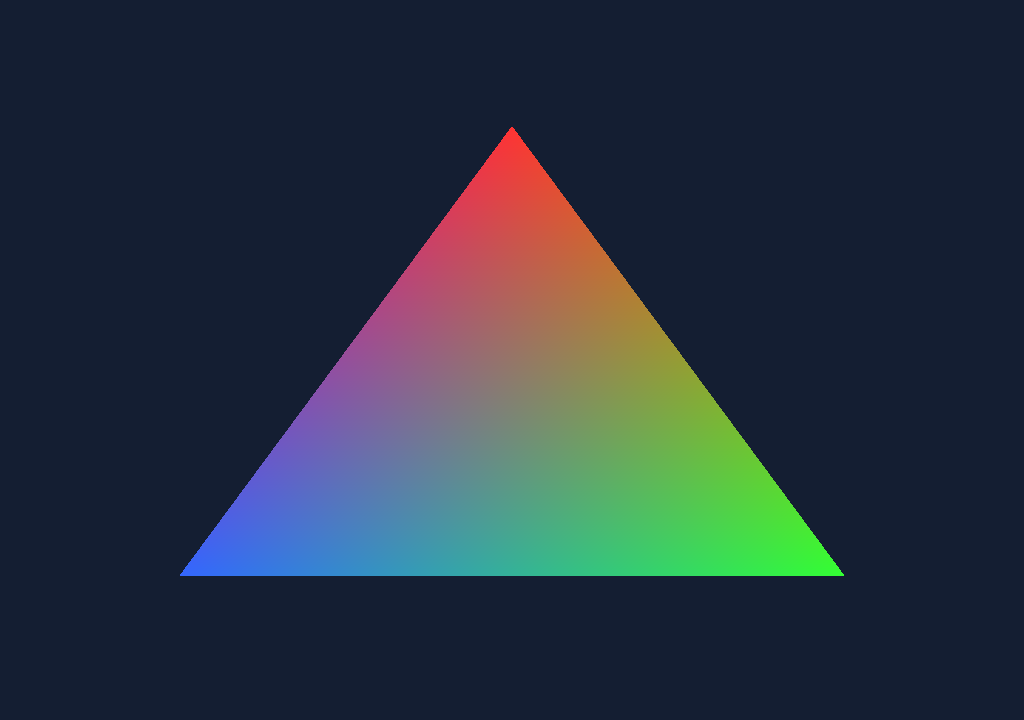
Once I had the minimal Vulkan sample, I asked it to read the code and create a detailed plan for the complete Vulkan renderer. It made one with over a dozen milestones. Since I was not qualified to evaluate the plan, I gave it the go-ahead and let it loose.
An awesome feature is that the agent could save the rendered output to an image and look at it to check its progress. I essentially had an iterative improvement loop. It would write code, compile it, run the sample, inspect the pixels, and continue all on its own. Zero human input.
It blitzed through several milestones without requiring any human intervention!
Straying further from Goals
I was mostly watching the agent’s actions and decisions. There were a few times the agent made some boneheaded decisions and I had to gently guide it. Basically, after a while it seemed to have forgotten the original goal of running the actual game on Vulkan, and instead started to overfit the code to make the Vulkan samples work. For example, for asset streaming, instead of using the engine’s existing archive and resource machinery it started recreating it in the Vulkan sample. In another case, it enabled some configuration options that were disabled by the actual game build.
When those choices exposed failures, it began changing shared engine subsystems to make the sample pass. This is a problem with current LLMs, they tend to be myopic and ignore the larger picture.
Agents are very capable of making progress towards a goal, we just have to make sure that the goal is actually what we want.
Shaders
Now we had to handle shaders. For the uninitiated, shaders are computer programs that run on the GPU. Graphics shaders help transform 3D geometry and calculate how surfaces, lights etc. look every frame.
Because the game is based on DirectX it used HLSL shaders, but for Vulkan we needed to compile the shaders to SPIR-V instead.
Also the existing shader compilation setup was windows specific, I had to make it portable to Linux.
Because the details are so well beyond me, I won’t even try to explain everything that happened here, but I remember it especially had some trouble with reflection (extracting resource bindings and parameter layouts from compiled shaders). At a very high level, the portable frontend used Boost.Wave for preprocessing and a parser derived from the original effect tool’s grammar. It then used DXC to compile the HLSL programs to SPIR-V.
A place where I intervened was when the agent decided to create a new shader package format. I instead made it use the existing fxc containers to
reuse the existing parsing machinery.
Apart from this, I contributed shunya.
“The game executable has linked successfully”
After the shaders, it did some work on textures, drawables, fonts, and the render thread. The engine milestones were complete, now it was time to compile the actual game with the Vulkan backend.
This exposed the distance between implementing an interface in a sample and satisfying all its callers.
Some supposedly PC paths were really Direct3D paths. Shadows, ambient occlusion, and depth readback still referenced Direct3D types. Other interfaces existed only under __D3D11 guards, so Vulkan needed the corresponding implementations and selection rules.
After compilation came linking. One game link reported 63 unresolved symbols: leftover D3D texture calls, shared effect methods excluded with the old backend, and device APIs the samples hadn’t required. The agent worked through those and finally reported:
The game executable has linked successfully.
It was surreal. I had been approving one milestone after another without quite believing this would actually end up compiling.
My respect for LLMs was through the roof!
It came tumbling down when I ran the binary:
[STARTUP] @debugMemory = 220 MB
That was it. The exe logged one line and exited.
So it wrote a debugger
The agent used PowerShell’s Get-WinEvent to read the Windows application crash records. Did you know Windows has a whole system for dealing with application crashes called Windows Error Reporting (WER)? Its reports were quite helpful for debugging early startup crashes.
In the first crash, the process had suffered an access violation in early allocation code, before shader loading even began.
I didn’t have the proper Windows debugging tools installed yet. So the agent wrote a small C++ diagnostic debugger: launch the game under the Windows debug API, wait for exception events, and resolve a stack using the game’s symbols.
I had never expected that the LLM would create bespoke debugging tools for the task. Mind blow-job!!!
The culprit here was a Vulkan thread-local vector being initialized while RAGE was still creating its heap. In that debug configuration, constructing the vector allocated memory through an allocator that wasn’t ready. Deferring those containers until their graphics APIs were first used let the game get further.
Launch, paste error, repeat
From here, my workflow became very simple:
- Run the game.
- Paste the error into chat.
- Let the agent investigate, fix, and compile.
- Run the game again.
Often, it could take a stack trace and identify the problem with frightening speed. Sometimes it inspected the running threads or generated another diagnostic script. My job increasingly involved waiting for a new executable and reporting what happened.
It slowly worked from just console logs to a blank window, to hearing that iconic glass-breaking and siren sound.
During this I also got to see a real deadlock. The render thread held the Vulkan context while waiting for the next draw list. The game thread needed that same context just to retrieve the backbuffer pointer, so it couldn’t finish the work the render thread was waiting for. Reading CPU-side backbuffer metadata without taking the graphics-context lock broke the cycle.
The first time I reached the loading screen, I almost couldn’t believe that it was actually running through Vulkan. It seemed exactly the same as the DirectX version! Passing the loading screen took a bit more effort.
This was the longest and most tiring stretch because it actively needed me. A sample could run and verify itself. Getting through another game launch meant loading, testing, crashing, and doing it again.
One frustrating aspect of the LLM was that it would diligently keep running an expensive process without questioning whether it should optimize how much time it was taking. The initial versions of the shader compiler pipeline were quite slow, but the LLM seemed oblivious to this fact until I pointed it out. To its credit, once I did point it out, it was able to quickly optimize it to acceptable levels.
Finally, a smokescreen
Eventually I reached gameplay. Input worked. The minimap rendered.
Everything else was grey.

The agent again prepared a bespoke debugging tool: a launcher using the Vulkan SDK’s GFXReconstruct capture tools. It replayed the captured frame offscreen and extracted intermediate images.
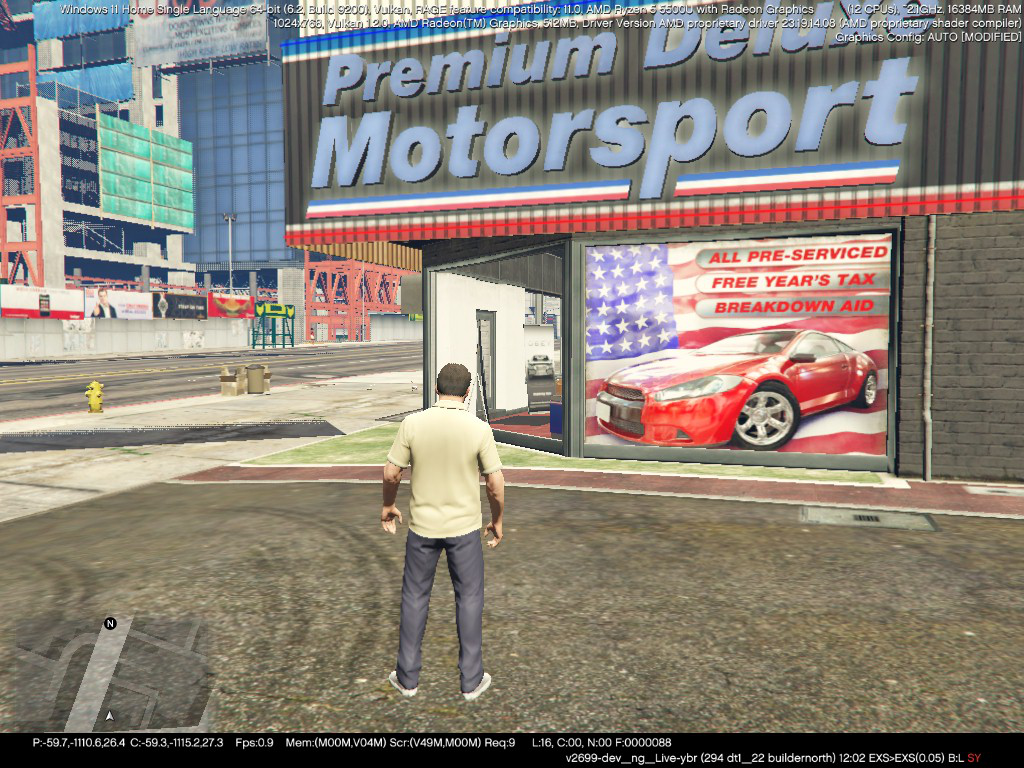
And after a long time of seemingly going nowhere, I could finally see GTA 5 through the Vulkan backend! The rendering was broken in various ways and the frame rate was abysmal. I was ecstatic!
After hyperstitioning for a while, it fixed many of the visible rendering issues. It felt unreal seeing the Vulkan renderer come to life right before my eyes, one fix at a time.
Better tools, better questions
Having achieved a somewhat working game, I pivoted to doing some optimization work. The game was running in a 1024×768 window at about 3 FPS, which was comically low.
I installed the Windows Performance Toolkit, Windows debugging tools, and RenderDoc so the agent could improve this.
It used Windows Performance Recorder to record a trace and find some low-hanging fruit. After a couple of fixes, the FPS went from about 3 to 5. Then I wanted to try RenderDoc and moved on to debugging the broken shadows.
Shadow Slave
One remaining visual problem was the missing shadows. I thought it was a good opportunity to try using RenderDoc. I asked it to capture both the original DirectX renderer and Vulkan, then compare them.
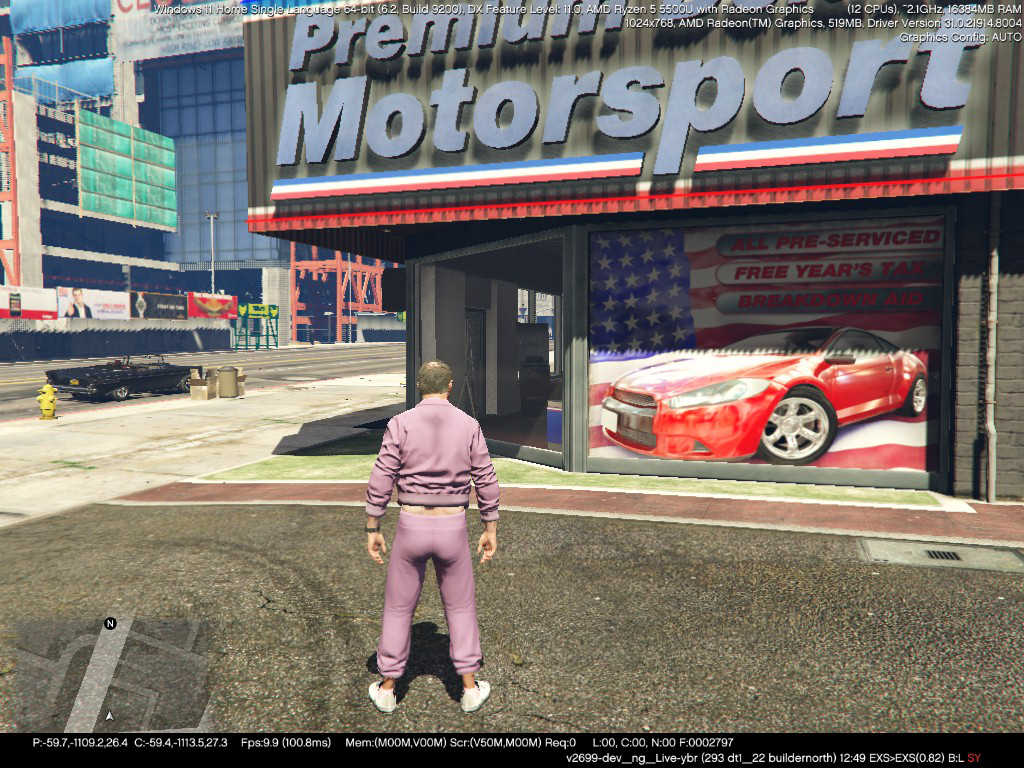
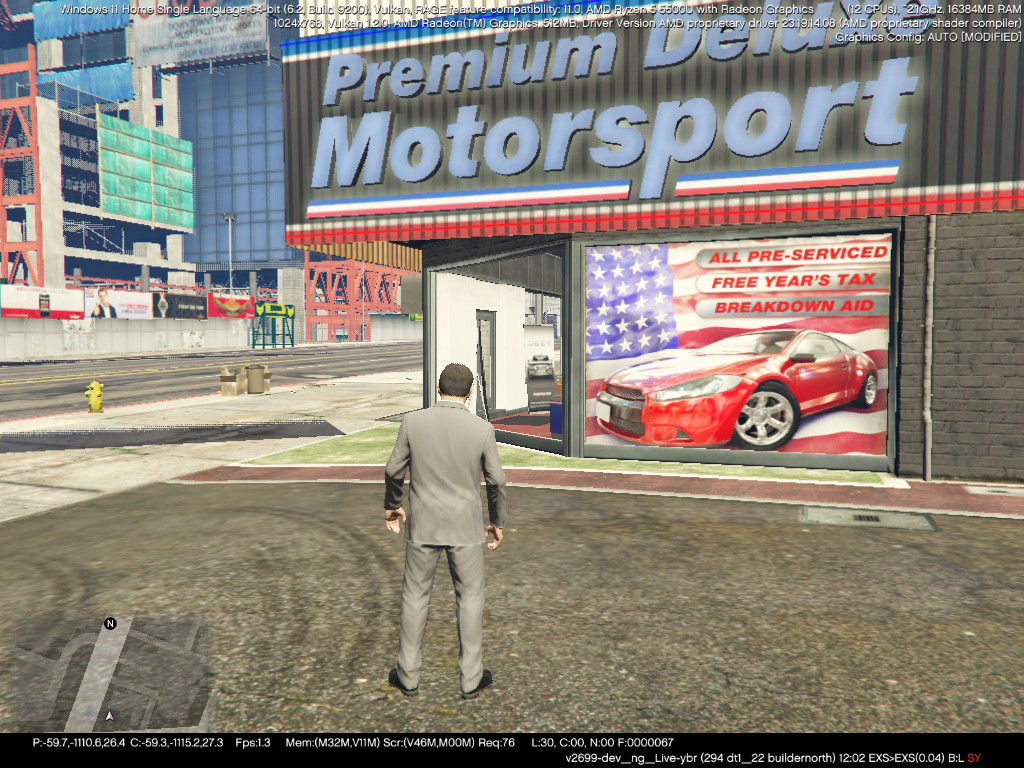
The captures exposed a concrete bug: our backend wasn’t updating RAGE’s logical rendering dimensions when binding an offscreen target. A small patch fixed this and we finally seemed to have visual parity with DirectX.
There were smaller, more visible integration misses too, like per-monitor DPI awareness, which was a small fix.
Giving the agent access to RenderDoc was like giving a superhuman exoskeleton to a person. It enabled the agent to “see” every draw call and figure out exactly what was wrong. Crazy stuff.
Fragments of the memory
Then I started testing some gameplay. Trying to switch characters led to another crash and my first practical encounter with heap fragmentation.
The agent walked RAGE’s main heap and found about 6.9 MiB free, but the largest free block was only 12,000 bytes. The failing allocation wanted 12,279 bytes. There was enough free memory in total, but no single free block large enough for that request: textbook case of heap fragmentation.
The main problem was that Vulkan retained about 132 MiB of compiled shader payloads in the roughly 466 MiB main heap. DirectX released most shader bytecode after creating its native objects. We were using RAGE’s allocator, but giving it very different allocation sizes and lifetimes.
The first fix released the bytecode after reflecting it and creating native shader modules. It also made startup painfully slow. The agent had moved that work into eager loading of the shader catalogue.
This was where I did some Socratic questioning. Why didn’t DirectX need to do all this? Didn’t our compiler already know the bindings? Why were we reading large JSON metadata trees at runtime?
The agent looked at established approaches, including bgfx’s compiled binding tables, then changed our shader compilation pipeline to embed compact metadata in the shader binary. Then it updated the game runtime to use that metadata and load shader code on demand.
These were architectural decisions that needed much more intervention than the individual crash fixes. The agent could solve the immediate problem and still choose a tradeoff that made the next part worse. Despite my total absence of graphics knowledge, actually trying to understand the possibilities here helped us arrive at an acceptable solution.
Crossing over with SDL3
With Vulkan running on Windows, Linux finally felt close. We still needed a library to create windows, handle input and play sounds on Linux. I chose SDL3 for this. It is a cross-platform library for windowing, input, audio etc. As before, the rationale was getting it working on Windows and reusing the code on Linux.
An interesting complication was thread ownership. SDL video and event work needed the application’s main thread. RAGE’s existing arrangement gave window work to the render thread, while game startup could block during loading.
The solution kept SDL event processing on the main thread and ran the original engine entry point on a separate thread. Window requests went back to the SDL thread; rendering retained its own thread and Vulkan resources.
The agent got the smaller Vulkan samples working through SDL, then built the full game with that backend. I asked it to write a handoff document before switching operating systems.
It was finally time to move to my Linux machine. Which was the same laptop, because I dual boot 🤷♀️.
An unexpected benefit of this whole process was that the chat had become a development record. I could go back and read exactly the problems I encountered, in what order, what was my thought process, and how the agent handled it. It was richer and much more “raw” as opposed to the git history.
Linux
I was so freaking relieved to be on Linux. I don’t know why, Windows just feels suffocating. I love Linux.
It was exhilarating to finally start work on the Linux port. The initial CMake preset was linux-vulkan-engine-sdl-debug, for the smaller engine samples using Clang, Vulkan, and SDL3.
As with the GPU renderer, RAGE’s support for multiple platforms gave us common interfaces for much of the OS functionality. The agent implemented Linux providers for threads, synchronization, memory, filesystem access etc. It also had to untangle code that assumed a PC implementation always meant Windows.
Some of the most interesting problems were assumptions about C++ types. On our x86-64 targets, Windows used a 32-bit long; Linux used a 64-bit one. Fields whose binary layout mattered needed explicit widths. The engine’s wide-text interfaces expected 16-bit code units, while Linux’s native wchar_t was 32 bits, so we preserved the engine’s UTF-16 representation and converted at native API boundaries.
Platform build flags supplied another recurring trap. In the preprocessor directives, “PC” and “Windows” had often been treated as interchangeable. Some branches assumed that anything other than Windows must be a console. Linux was a desktop platform with a remarkable talent for falling into console code.
The agent loop here was simple: compile -> read error -> fix. I did intervene a bit in the trickier problems, selecting among the solutions the agent suggested.
The final lap
After discombobulating for a good while, we had finally reached the linking stage. It took a while to sort out the 200+ linker errors, but I finally had a Linux binary of the game!
Though this time I hadn’t forgotten that a successful build did not mean a successful run.
Time to run it.
It crashed before main.
New operating system, familiar routine
A global movie identifier tried to register its name before the namespace maps existed. Startup needed explicit ordering: heap and locks, then maps, then the ordinary global constructors.
After that came the usual reward for fixing a startup crash: the next startup crash.
Thread creation had two particularly good examples. Linux could successfully create a worker but deny its requested priority boost. Our implementation treated that optional failure as if no worker existed. Stack sizes also meant different things: the Windows argument described initial committed storage, while the pthread setting described total capacity. Copying the number across gave native workers too little stack.
The agent fixed those contracts and kept us moving through startup. Each error was small, but there were plenty of them.
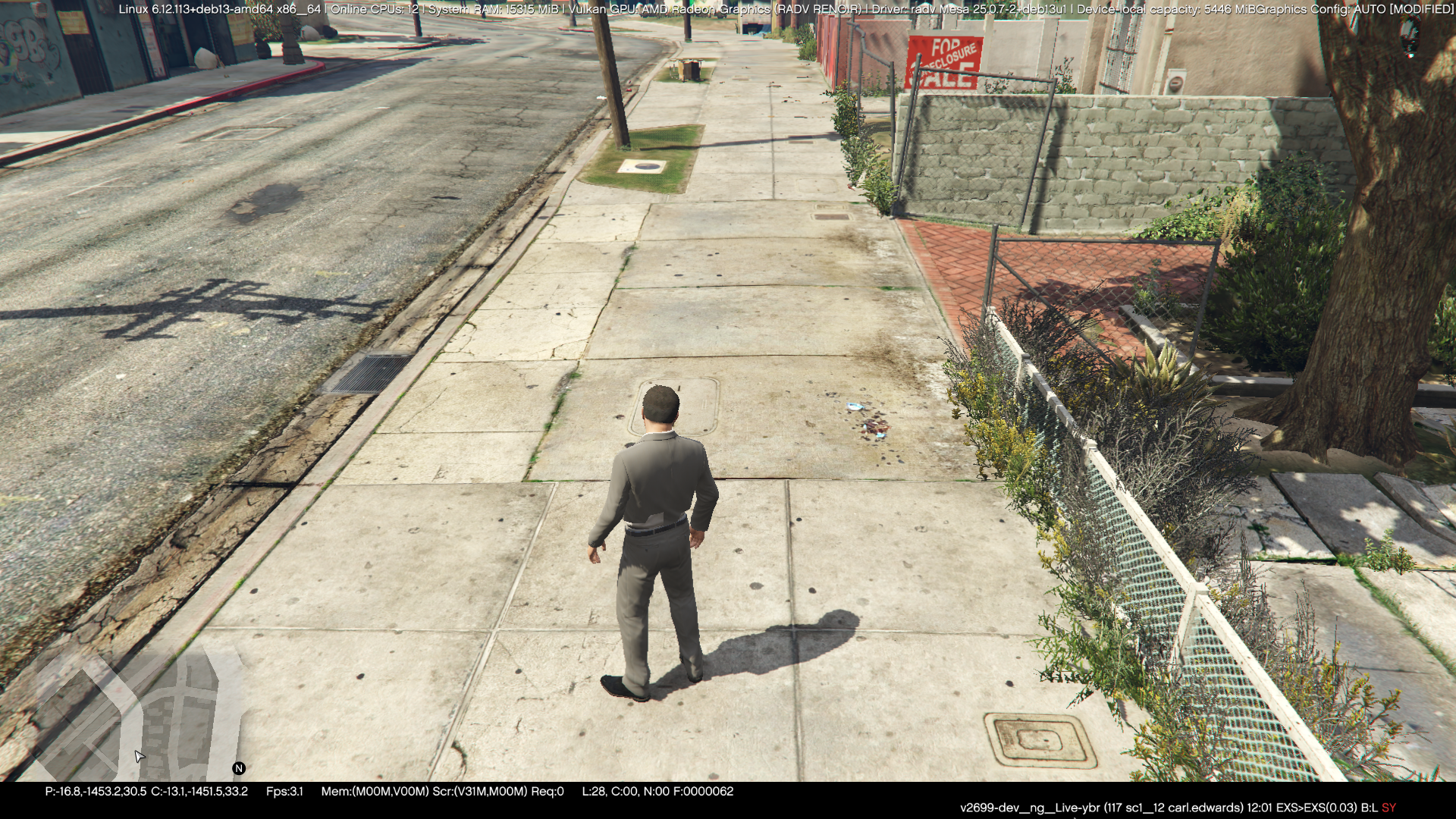
After toiling for some more time, I finally had the game running via the Linux executable on Vulkan. It was unbelievable!
Can I haz perf?
It was running at 3 FPS. Some digging around revealed that the game engine was actually compiling with optimizations disabled 🤦♀️. Fixing that made the framerate jump to ~10 FPS.
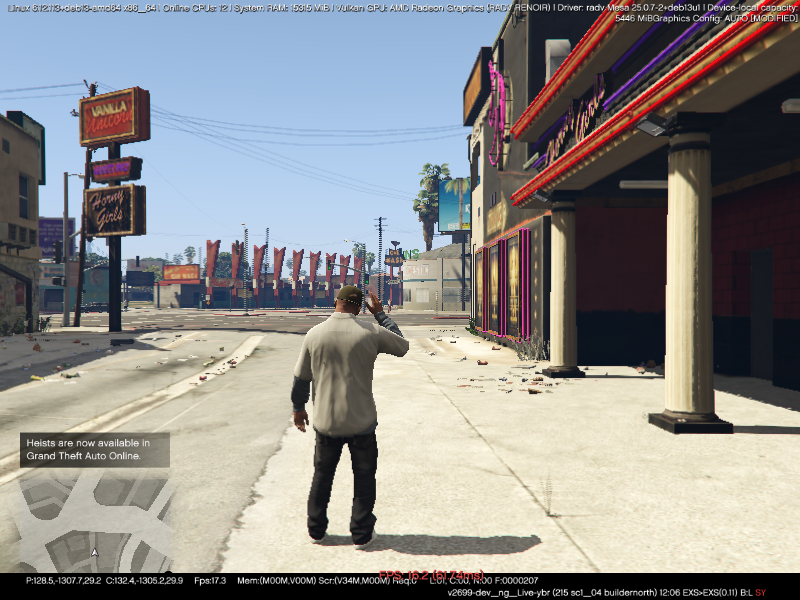
Then I asked it to use Tracy to do further optimizations and after a while it got to ~15 FPS. At this point I considered it done. It was not quite the 30-40 FPS I was getting in the original Windows DirectX build, but this was good enough to consider this project a success.
Reflections
In the time it took me to write this blog, AI (with some human help) has proven the Riemann Hypothesis. The future is now!
You need to understand what just happened. I, a person who can’t manually get a triangle to render in a window, got a AAA game running natively on Linux with an LLM. Granted, I had the source code and an engine with existing platform interfaces. I still see this as a seismic shift in software development.
I remember when I started programming as a kid, it took me a whole month to create a flashlight app for Android. I wouldn’t even dream of doing something like this on my own if I didn’t have access to LLMs. I would probably waste my youth chasing some segfault.
Now, I can paste a stack trace into chat and have an agent inspect the source, build a reproducer, read process memory, or analyze a captured frame. Oftentimes the fix arrived within seconds. Watching it write a debugger because the debugging tools weren’t installed was ridiculous.
Now, the tragedy of LLMs is that even after “doing” such a significant task, I didn’t learn shit 🥲. Couldn’t draw a triangle before, can’t do it now.
But I’d argue that this was intentional. If I wanted, I could totally have used the LLM only for helping me when I got stuck. It would take me months instead of a week to complete this had I written the code and debugged it myself, but I would have learnt much, much more.
And that’s the cool thing, right? Nothing stops me from doing this again. Now that I know that it’s possible, I can do this as a learning project, while leveraging LLMs to learn instead of codemaxxing.
What does this mean for software shops? Should we still be reading all the code we write? Or leave the code to LLMs?
I would argue that for critical software, reading the code is just as important if not more than before.
I mean, imagine this: Everyone has access to the same LLMs (mostly). In this world, who would build better software? People who have an in-depth understanding or people who don’t know anything more than “Claude make no mistakes”? That’s the thing! If you never learnt this stuff, how do you know if Claude made a mistake!?
Even though I have this Vulkan renderer, I lack the skill to determine whether it’s good or a piece of crap. It is possible that the LLM made some obvious mistakes and left a lot of performance on the table, but how can I even check this? I don’t know jack shit about Vulkan!!
Would you trust someone like me with developing your game engine? I know I wouldn’t.
If, on the other hand, I had prior experience with Vulkan and took my time to really understand the RAGE graphics interfaces, I might have suggested a better, inherently more performant architecture.
I believe an LLM + a human with deep understanding will outperform an LLM alone for the foreseeable future. With the caveat that the foreseeable future in the case of AI is very short.
A few things I learnt about utilizing LLMs when working on this:
- LLMs are a beast on verifiable tasks. If the solution to your problem can be verified programmatically, the LLM can find the solution.
- Subagents give you super saiyan abilities in parallelizable tasks and are a liability in serial tasks.
- Current LLMs can get myopic and start taking shortcuts. Be careful how you define your goal.
- Giving tools (like debuggers, profilers) to your agents is like giving superhuman exoskeletons to humans. They supercharge the abilities of your agent.
This was a really interesting experiment and I am curious to see how LLMs evolve. I imagine several years down the line LLMs might be able to one-shot a port like this. Who knows, this might even become a benchmark.
Addendum
The problems described above only scratch the surface of the absolute mountain of bugs and crashes I had to climb to finish this. I have omitted most of the technical details, partially for brevity and partially because I didn’t understand a lot of it myself.
In total, it took me exactly 7 days from start to finish, with 3-4 hours of work each day. Most of it was staring at the screen with the agent doing the work.
Also, this was purely an academic exercise and I won’t be releasing any code since that would violate Rockstar’s copyright.
Leave a comment